
Identify the real opportunity
AI evaluates calls and forms for lead quality, service needs, and booking intent. Spam, repeat contacts, and existing customers are separated from new prospects.
Inbound Intel AI
Inbound Intel AI connects calls, web forms, and Local Services Ads leads to booking outcomes and CRM revenue. See what your marketing brings in and what happens after your office answers.
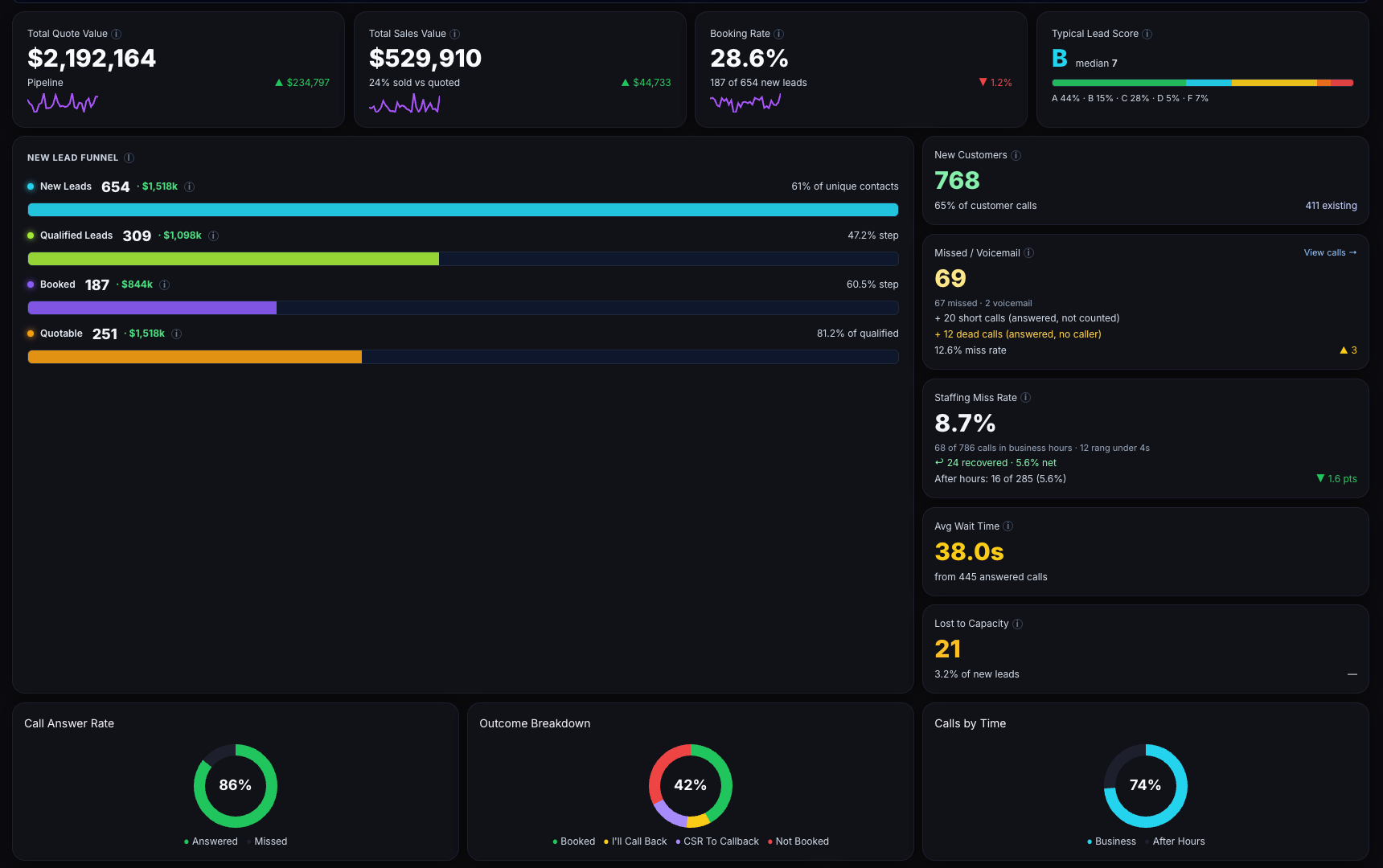
Lead volume alone cannot tell you whether a campaign is working. Inbound Intel separates new opportunities from contacts that do not represent new demand.
AI evaluates calls and forms for lead quality, service needs, and booking intent. Spam, repeat contacts, and existing customers are separated from new prospects.
Find out whether the inquiry became an appointment. Surface objections, unanswered calls, and qualified callers who left without booking.
Match quotes and sales from your field-service software back to the originating lead. Compare sources on business outcomes as well as inquiry counts.
Review qualified leads, quoted value, and closed sales by marketing source. A channel that generates more calls may still produce less sold work. This view helps you decide where budget deserves another look.
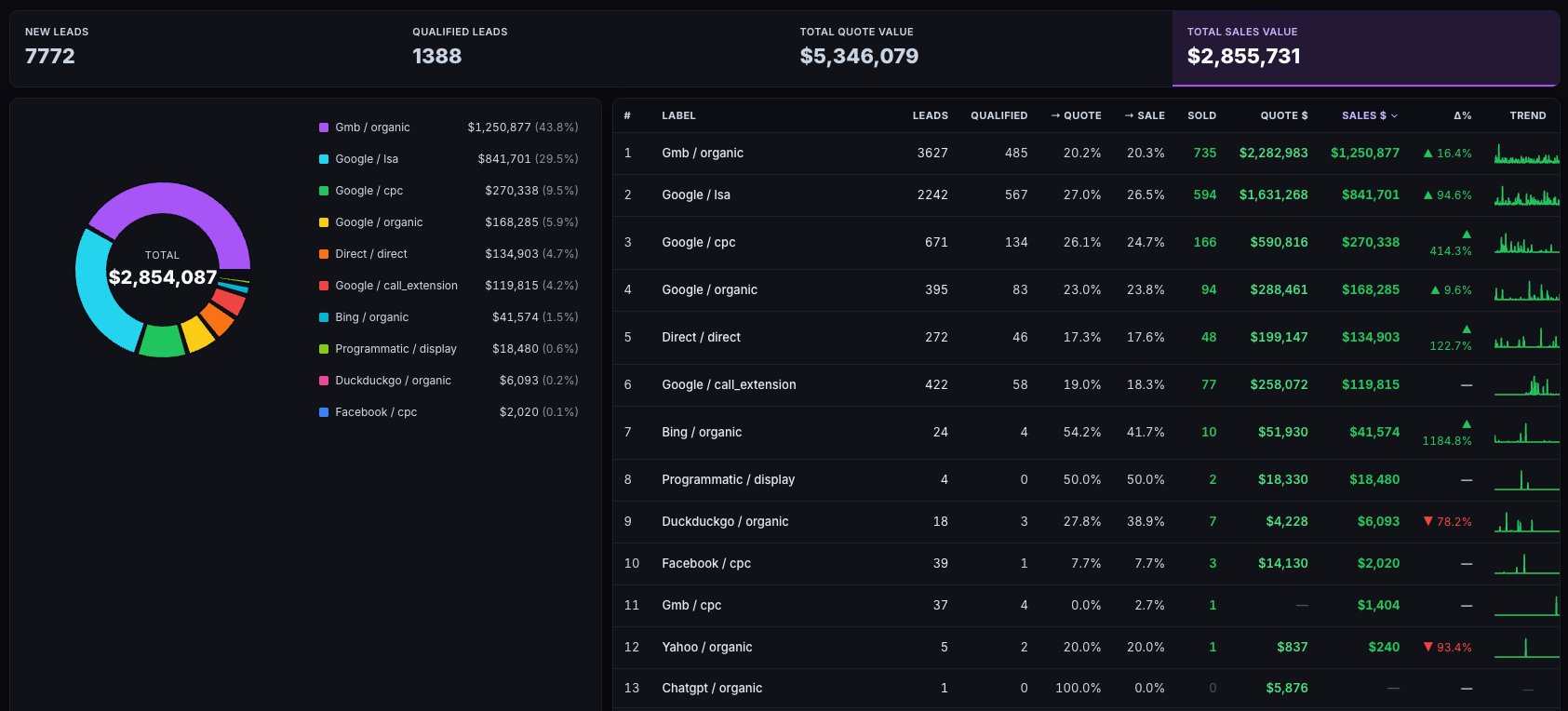
Your field-service CRM remains the authority for closed revenue. Inbound Intel supplies the lead analysis and source attribution that connect those job records to your marketing.
You should not have to listen to every recording to know where follow-up or coaching is needed. Inbound Intel surfaces the patterns and the individual opportunities behind them.
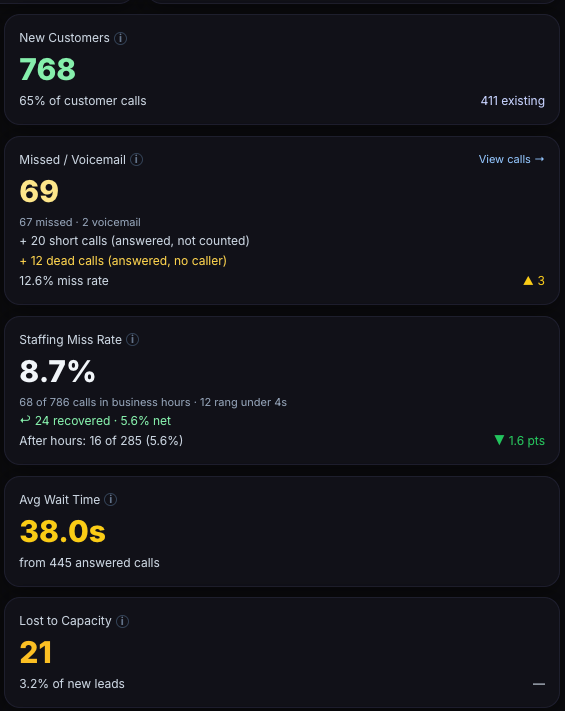
Review high-intent contacts that reached voicemail or did not book. Give your team a focused callback list instead of an unfiltered call log.
CSR scorecards and AI-written coaching notes highlight booking performance, objections, and missed opportunities. Use the underlying call to review the context with your team.
Compare missed calls, wait times, and booking losses. See when availability or front-desk coverage is limiting what your marketing can produce.
Inbound Intel works with your tracking and field-service systems. We review your connections, source tracking, and job records so the reporting reflects how your business operates.
Bring supported call-tracking, form, and LSA inquiries into one lead view.
Score lead quality and identify booking outcomes and follow-up needs.
Match quotes and jobs back to the customer’s originating interaction.
Send eligible conversions and values to Google Ads to inform optimization.
Lead quality, call analysis, CSR performance, and marketing-source attribution.
Job status, estimates, invoices, and the closed-revenue records used for matching.
Connections include ServiceTitan, Housecall Pro on the MAX plan, and other supported field-service platforms. Available data and setup requirements vary by platform; we confirm your specific stack during the walkthrough.
No. Inbound Intel supports other field-service platforms, including Housecall Pro on the MAX plan, Shwego, FieldEdge, Jobber, and Workiz. We confirm the available connection and revenue data for your platform during setup.
Yes. The platform brings calls, web forms, and Local Services Ads inquiries into a unified lead view. Contacts can be joined by phone and email to help follow the customer journey.
No. Your field-service CRM remains the system of record for jobs and closed revenue. Inbound Intel adds lead qualification, call analysis, and attribution around that data.
Yes. Eligible conversions and revenue values can be uploaded using the associated Google click ID. The connection depends on correct tracking, available identifiers, and matching records.
Book a strategy call with Elevated Audience. We will review your lead sources, call-tracking platform, CRM, and the reporting questions you need answered.
Let’s walk through your tracking and sales process. We’ll show you how Inbound Intel AI can connect lead quality, booking performance, and revenue in one view.