
Websites Built for Home Service Contractors
Contractor website design built to book jobs look different from a site built to win design awards. We build home services web design for HVAC, plumbing, electrical, roofing, garage door, and junk removal companies nationwide.
Every build is fast, mobile-first, search-ready, and connected to your CRM and lead workflow, so you can trace forms, calls, and scheduling back to booked jobs.

Why Contractor Websites Lose Leads
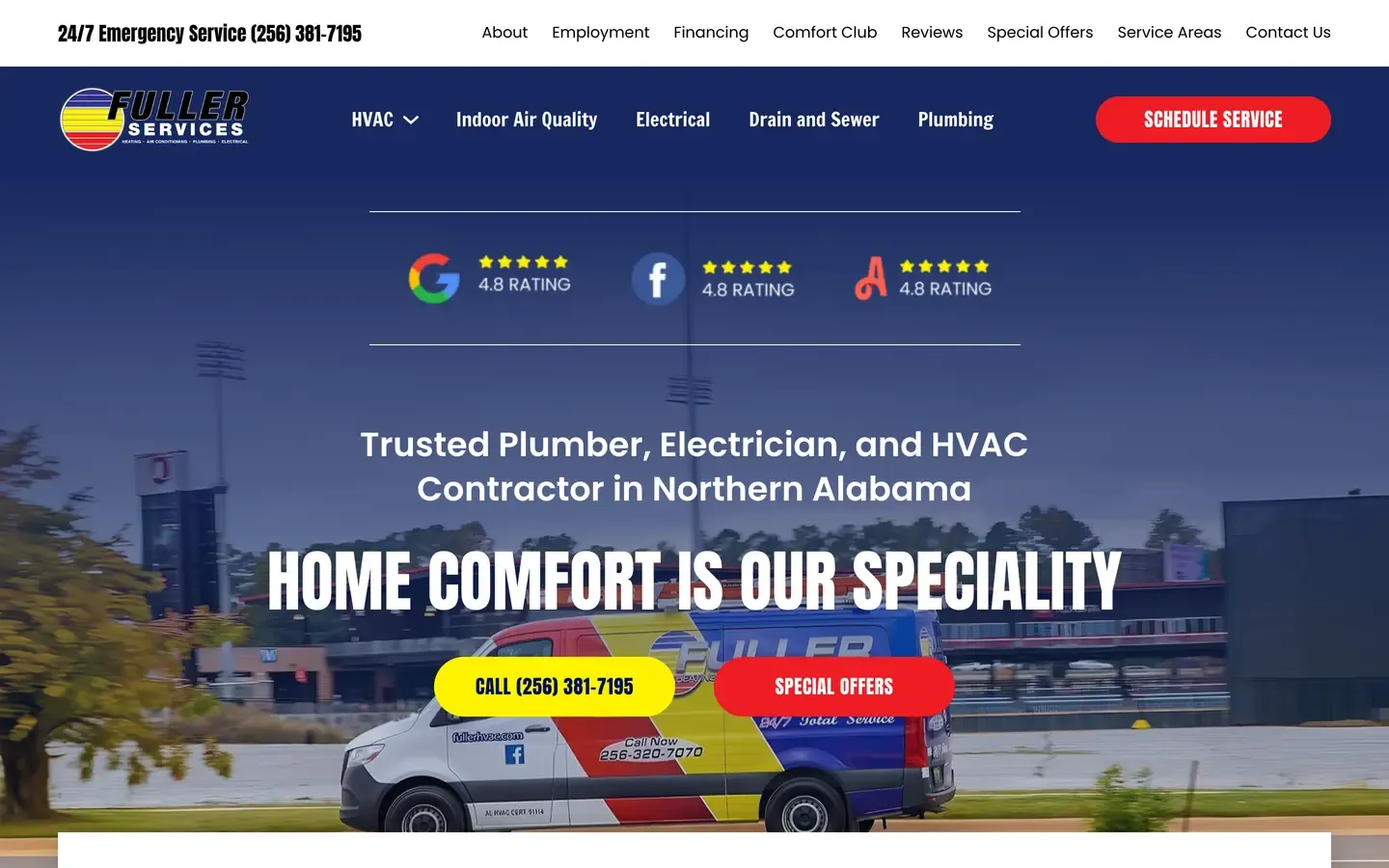
Most contractor websites lose leads because homeowners cannot immediately identify the service, location, proof, and next action. The problem shows up on a phone, where visitors will not dig through vague headlines, buried contact details, or confusing navigation to find help.
Above the fold, the site should establish the trade, the market served, and why the company is credible. It also needs two clear actions: urgent contact through tap-to-call, and planned-work contact through an estimate request or online booking. Reviews, licenses, years in business, financing details, or project results provide useful proof, but visitors need to see them before they scroll.
What Belongs Above the Fold
A homeowner with a failed air conditioner, overflowing pipe, electrical issue, broken garage door, or water damage wants to reach a qualified local company quickly. The site should make that simple with a prominent phone button, sticky contact access, clear service-area confirmation, and a short path from the relevant service page to the call.
Every extra field or unclear choice loses urgent inquiries. Emergency pages should answer three basic points quickly: whether you handle the problem, whether you serve the homeowner's area, and how to reach your team now. Then provide one practical next step, usually a call or text.

Planned Projects Need a Different Path
Roofing, remodeling, system replacement, and larger junk removal projects follow a different path. These homeowners compare companies, review project photos, read about scope and materials, and look for evidence that you handle work at their budget and scale.
Those pages need detailed service explanations, case studies, reviews, financing or estimate guidance where relevant, and a preliminary quote flow that captures useful project details. A multi-step form can qualify the inquiry without forcing a homeowner into a sales conversation before they understand the process. The conversion path should match the job the homeowner is trying to buy.
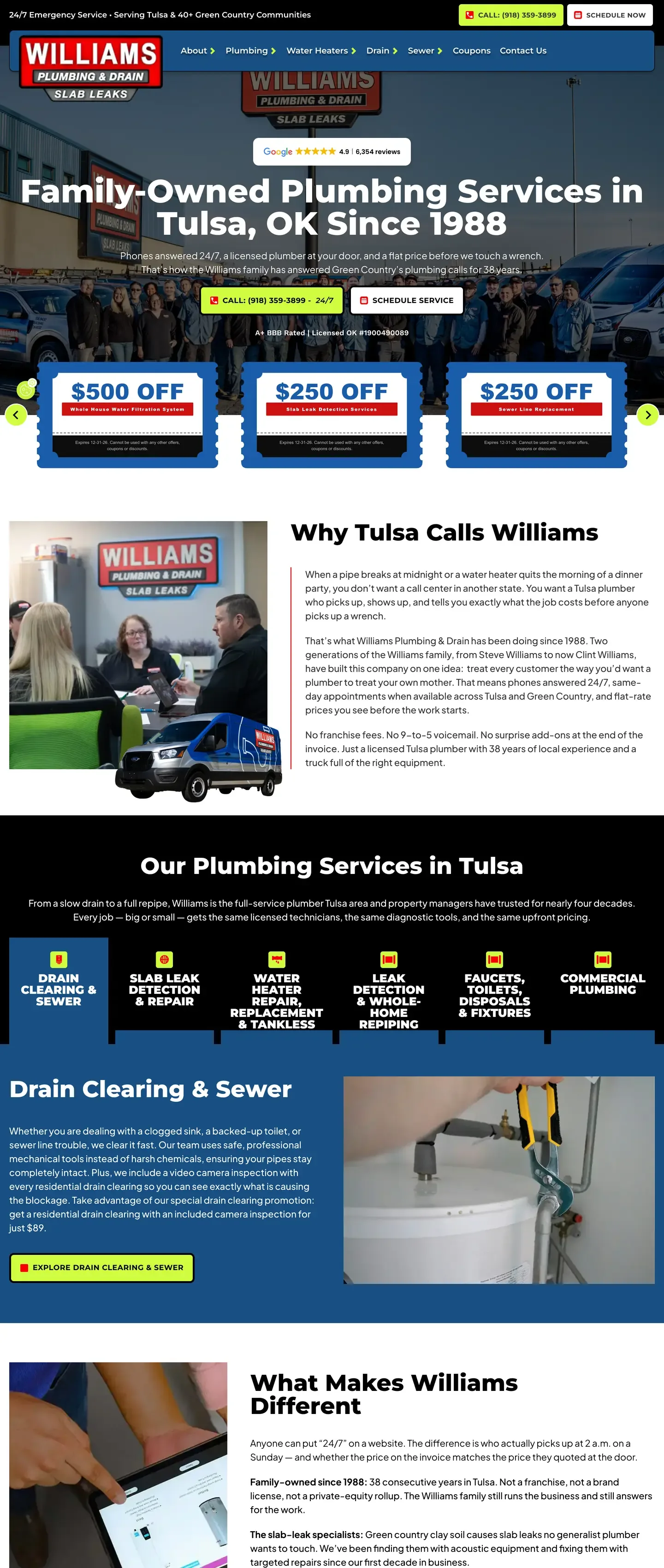
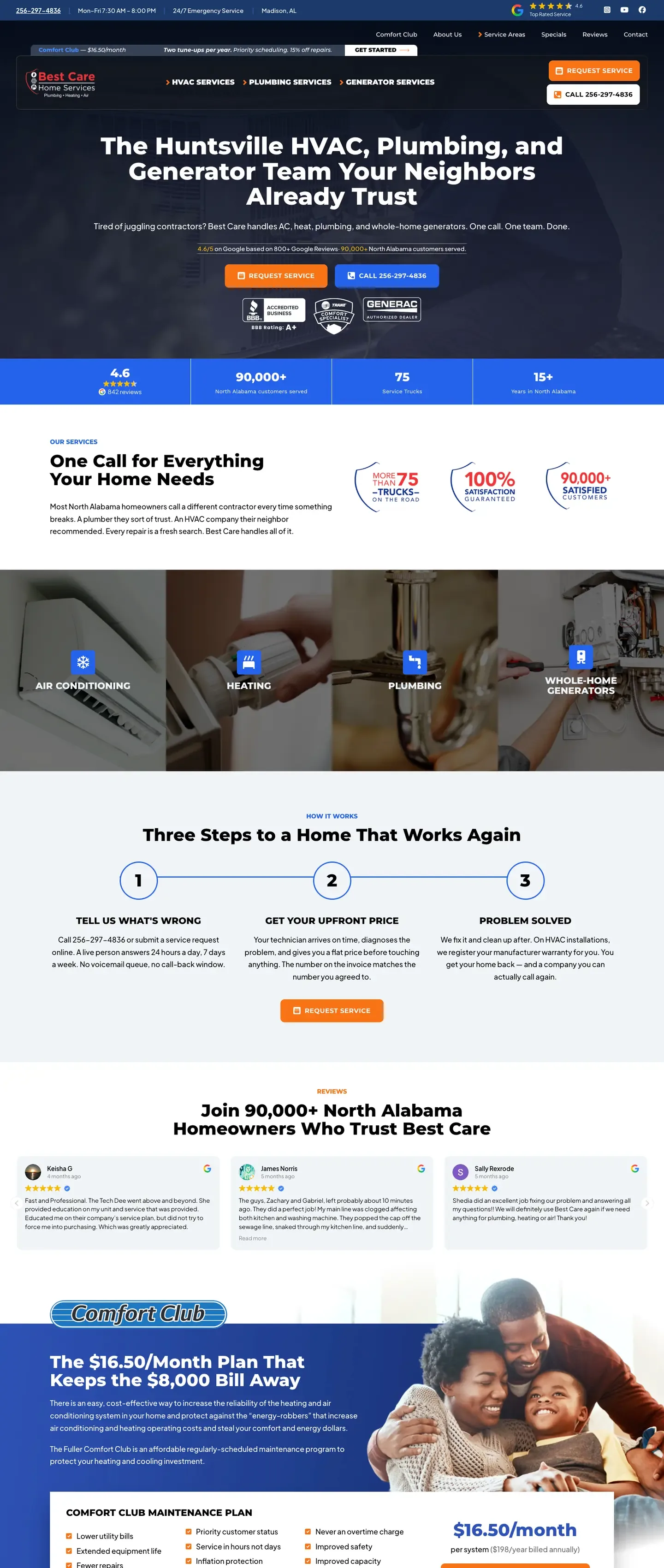
Complete site architecture supports that structure. Each profitable service needs its own page, not a short paragraph on a general services page. Service-area pages should include genuine local relevance, not city names inserted into the same template. Case studies, review content, contact pages, booking paths, and internal links give homeowners and search engines a clear route through the site.
The technical layer supports that structure. LocalBusiness schema, or a more specific business schema type, helps define the company and its services. Consistent information across the website and Google Business Profile reduces confusion. Internal links connect service, location, and proof pages so priority pages are not buried. These are foundations, not ranking shortcuts. A coordinated SEO program builds on them with ongoing local content, technical maintenance, and search visibility work.
The operational goal is fewer dead-end visits and more homeowner inquiries traced to a service, source, and outcome. Once the site captures the lead, the next layer is booking, follow-up, and CRM attribution.
Booking, Forms and CRM Integration
Generating an inquiry is not the same as booking a job. Your website needs to send each homeowner to the right next step, then make sure that request reaches the people who can act on it.
Urgent repair work should route to a tap-to-call option. Appointment-ready visitors may prefer an embedded scheduler. Larger projects often need a short quote form that gives the dispatcher enough context to prioritize the call. The right path depends on how your business handles service calls, estimates, territories, and business units.
We connect lead capture to field-service platforms including ServiceTitan, Jobber, and Housecall Pro. The system follows your actual dispatch workflow, not a generic contact form that creates more work for the office.
Booking Tools Must Work in the Real Workflow
A scheduler is only useful if it works after launch. Booking triggers need to run on the approved live domain, route appointments to the correct job type or department, and be tested from the first submission through the dispatch board.
Forms need the same discipline. A homeowner should be able to provide their name, phone number, service needed, and ZIP code without completing a long questionnaire. Additional project details can come in a second step or through a follow-up from your team. Short forms start the conversation without leaving the dispatcher short on context.
Third-party booking widgets can affect page speed if handled poorly. We implement them so they do not needlessly delay the initial page experience, then measure their effect after launch. A tool that captures appointments but slows every visitor is not a finished solution.
See Where Leads Turn Into Jobs, or Get Lost
Inbound Intel AI adds the layer most website reports miss. It scores lead quality at the call level, grades CSR performance, identifies missed calls and recovery attempts, and ties qualified opportunities to closed revenue through your CRM.
This shows which marketing sources produced jobs and which calls the front desk lost. It also separates real opportunities from spam, existing-customer calls, and contacts outside your service area, so your team can see the actual quality of incoming leads.
Instant Estimator AI gives hesitant visitors another path. It captures preliminary estimate information from homeowners who want a ballpark before speaking with the office and might otherwise leave without contacting you. Requests can then route by service line and project value.
Your website should not stop at a form confirmation page. It should show what happened next, from the first click to booked and sold work.
Contractor Website Examples
How a Contractor Site Moves From Plan to Launch
Every build starts with the operating details that affect lead quality. We review your service mix, target market, average job value, capacity, and the route a homeowner should take from search to a call, booking, or estimate request. That work determines the site map before design begins.
The process moves through six practical stages:
- Research and planning around your services, markets, profitable jobs, and lead paths.
- Content curation and information architecture for service, location, proof, and contact pages.
- Conversion-focused design that gives visitors a clear next action.
- Bricks and WordPress development with required integrations in place.
- Review and QA across devices, forms, tracking, speed, and scheduler behavior.
- Launch, training videos, and handoff so your staff can use the finished site.
Testing is where accountability shows up. We submit forms, test phone links, check booking flows, confirm tracking, review mobile layouts, and verify that the live site performs as intended. A page is not ready because it looks finished in a design review.
After launch, you receive training videos and a clear handoff.
Speed, and Why It Costs You Jobs
Speed affects how quickly a homeowner can reach your phone number, complete a form, or load a scheduling tool on a mobile connection. It also affects the technical experience search engines evaluate. A strong launch does not mean performance can be ignored.
Google measures user experience through Core Web Vitals. The practical targets are:
- Largest Contentful Paint (LCP): under 2.5 seconds. LCP measures how fast the main content of your page loads.
- Interaction to Next Paint (INP): under 200 milliseconds. INP measures how quickly the page responds to input.
- Cumulative Layout Shift (CLS): under 0.1. CLS measures visual stability so content does not shift as it loads.
Those numbers require real tradeoffs. Scheduling widgets, call tracking, chat tools, and advertising tags can support booked jobs, but each third-party script adds weight. We test site speed while keeping the tools your office needs to capture, route, and measure leads.
WordPress vs a Platform You Don't Own
Your website should remain yours if you change agencies, hire in-house help, or take over updates yourself. That means you retain the site, written content, analytics, Search Console, advertising accounts, logins, and the access needed to move forward without rebuilding from zero.
WordPress is not automatically the right answer for every business, and proprietary platforms can fit simple needs. Contractors should understand the difference before signing a subscription agreement. A workable setup provides exportable assets, administrative access, transparent hosting, clear transfer terms, and no hidden exit penalty.
We build custom WordPress sites on the Bricks stack. Each site includes SSL, hosting designed for 99.9% uptime, and in-house server maintenance. Your accounts stay in your name, so you are not renting a website that disappears when a monthly agreement ends.
Once the site is live, maintenance still matters. WordPress care plans provide security updates, monitoring, backups, speed oversight, and support for site changes. Review the care-plan options and choose the level of post-launch support that fits your team.
What It Costs and How Long It Takes
Contractor website cost reflects the work required to build a sales asset, not the number of colors on the homepage. A project quote changes with the number of services and markets you cover, service-area structure, copywriting and photography needs, CRM or scheduler connections, migration complexity, custom lead tools, and tracking requirements.
A one-location contractor with a focused service mix needs a different build than a multi-trade company serving several markets. The larger project may need separate service and location pages, distinct conversion paths, call tracking, booking logic, and lead routing to the correct office or team. Those are operating requirements, not design extras.
Project timing follows the same logic. A build moves faster when content, access to existing accounts, photos, and integration details are ready. Migration work, custom functionality, multiple markets, and approval cycles add necessary planning and review time.
A project quote changes with
- The number of services and markets you cover
- Service-area structure
- Copywriting and photography needs
- CRM or scheduler connections
- Migration complexity
- Custom lead tools
- Tracking requirements
When a Redesign Is Enough
A redesign makes sense when the current platform is stable, the content structure is usable, important URLs hold search equity, and existing integrations can remain in place. In that case, we can improve page speed, messaging, mobile usability, lead paths, and local search structure without discarding assets that already perform.
When a Rebuild Is the Better Call
A rebuild is appropriate when the site is slow, hard to edit, missing service and location architecture, unable to support tracking or booking, or carrying years of technical debt. The same applies when a vendor controls the platform and makes it difficult to leave. The practical test is whether the current site can support revenue tracking and booked-job growth without creating more problems.
We scope each project around revenue goals, market coverage, and office workflow. Monthly care plans are separate ongoing support for maintenance, security, monitoring, and updates.
Frequently Asked Questions
What does a contractor website cost?
Contractor website cost depends on the scope of the build. Service-area coverage, page count, copy and photography needs, CRM or booking integrations, custom tools, and migration work all affect the quote. Review our pricing page for investment context, then book a scoped strategy call to define the work your operation actually needs.
How long does a contractor website take to build?
The timeline follows research, content planning, design, development, review, testing, and launch. It depends on approval speed, available photos and account access, page count, migration requirements, and the complexity of CRM or scheduling integrations. A focused single-market site moves differently from a multi-trade build with location pages and custom routing.
Do I own my website if I leave the agency?
Yes. We build sites and core marketing accounts in the client's name, including website assets, analytics, Search Console, advertising accounts, and required access. Confirm ownership, hosting access, and transfer terms in writing before signing with any agency, especially if the proposal is based on a proprietary platform or bundled subscription.
Should I use WordPress or a proprietary contractor website platform?
WordPress gives contractors more control over site access, content, exportability, integrations, and local SEO growth. A proprietary platform may work for a basic site, but buyers should understand its maintenance rules, administrative access, migration options, and what happens if they leave. The right choice is the one that supports your lead workflow without trapping your business in a vendor relationship.
Can a website connect to ServiceTitan, Jobber, or Housecall Pro?
Yes. Contractor website design can connect forms, call tracking, estimate requests, and scheduling tools to ServiceTitan, Jobber, Housecall Pro, and comparable field-service systems. The integration needs testing from the live site through the actual scheduling or dispatch workflow, so an inquiry reaches the correct team and can be traced through to booked work.
Should my contractor website show pricing?
Show pricing when the service is standardized and a clear price helps a homeowner take the next step. Complex repairs and projects may be better served by ranges, financing context, an instant estimate tool, or a direct estimate request.
Does my contractor website need to be ADA compliant?
Build decisions should follow WCAG 2.2 AA practices such as readable contrast, keyboard access, and labeled forms. No website can be represented as permanently or universally legally compliant, but building to this standard from the start reduces exposure and serves more visitors.
Build a Website That Books Jobs
Home services web design that generates leads requires fast load times, clear conversion paths, real CRM connections, and a site your team actually owns. Contact us to scope the website, integrations, and lead paths around your business.